
The Great Wall Crumbles: How Android Gadgets Are Finally Bridging the AirDrop Gap
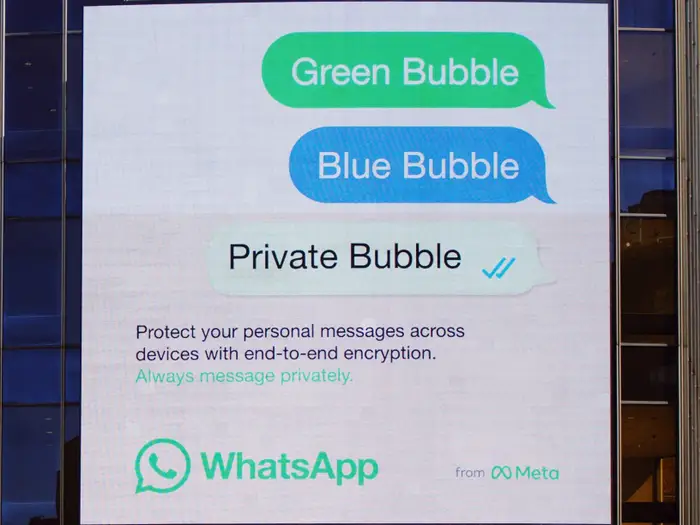
For over a decade, the smartphone market has been defined by a stark divide: the “Green Bubble” versus the “Blue Bubble,” and perhaps even more frustratingly, the inability to seamlessly transfer files between ecosystems. If you are an enthusiast following Android News, you are likely familiar with the pain of trying to send a high-quality video from a flagship Samsung device to an iPhone user. The result is usually a convoluted dance involving email, cloud links, or messaging apps that aggressively compress the file quality. This digital segregation has been a cornerstone of ecosystem lock-in, keeping users tethered to specific hardware brands simply for the sake of convenience.
However, the technological landscape is undergoing a seismic shift. Driven by a combination of regulatory pressures regarding interoperability and the natural evolution of wireless standards, the walls of the “walled garden” are beginning to show cracks. We are entering a new era where Android Phones and Apple devices can communicate via standardized Wi-Fi protocols. This article explores the technical underpinnings of this revolution, what it means for the future of Android Gadgets, and how cross-platform connectivity is evolving from a pipe dream into a tangible reality.
The Technical Evolution: Understanding Wireless Handshakes
To understand why cross-platform sharing has been historically impossible and why that is changing, we must first look under the hood of how devices talk to one another without a router.
The Proprietary Problem: AWDL vs. Wi-Fi Direct
For years, Apple’s AirDrop has been the gold standard for local file sharing. It operates using a proprietary protocol known as Apple Wireless Direct Link (AWDL). When an iPhone user attempts to share a file, the device uses Bluetooth Low Energy (BLE) to discover nearby devices and then creates a peer-to-peer Wi-Fi connection using AWDL to transfer the data. Because this protocol was closed-source and strictly controlled, Android Phones physically could not “speak” the language required to initiate the handshake, despite having the necessary Wi-Fi hardware.
On the other side of the fence, Android utilized various iterations of sharing, eventually settling on “Quick Share” (formerly Nearby Share). This technology relies on standard Wi-Fi Direct and Bluetooth. While functionally similar to AirDrop, the two protocols were like two people shouting at each other in completely different languages. The hardware was capable, but the software was intentionally incompatible.
The Convergence: Neighbor Awareness Networking (NAN)
The breakthrough that is currently dominating Android News cycles revolves around the standardization of these connection protocols. The Wi-Fi Alliance has long promoted a standard called Wi-Fi Aware, also known as Neighbor Awareness Networking (NAN). This technology allows devices to discover one another and exchange data without a traditional network infrastructure (like a router) and without waking up the power-hungry main application processor until necessary.
As global regulations push for standardized interoperability to reduce electronic waste and anti-competitive practices, manufacturers are being forced to adopt these universal standards. When proprietary protocols like AWDL are deprecated or forced to align with the NAN standard, the barrier between iOS and Android evaporates. Suddenly, the Wi-Fi chip in a Google Pixel 9 can technically recognize and negotiate a transfer with an iPhone 16 because they are finally adhering to the same rulebook.
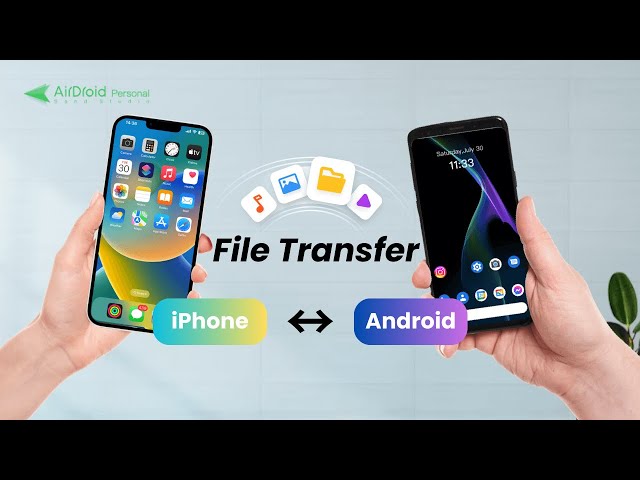
Detailed Analysis: How Interoperability Changes the Game
The shift toward universal sharing protocols is not merely a software update; it is a fundamental change in how we interact with our computing devices. Here is a breakdown of how this integration functions and its impact on the ecosystem.
1. The Discovery Phase
In a unified system, the discovery phase relies on Bluetooth LE advertising. Previously, an iPhone would only scan for Apple-specific hash keys. With the adoption of new standards, Android Gadgets can broadcast a standardized availability signal. This means that when an iPad user opens the share sheet, nearby Android devices—be they tablets, phones, or even smart TVs—can populate the list alongside other Apple devices. This requires OS-level integration where Android mimics the advertising packets that the receiving device expects, a feat made possible by the opening of documentation and standards.
2. The Security Handshake
The most critical aspect of this transition is security. Proprietary systems rely on “security through obscurity.” Open standards require robust encryption. The handshake process involves:
- Mutual Authentication: Ensuring both devices are who they say they are.
- TLS Encryption: Encrypting the data stream so that a third party in the coffee shop cannot intercept the file during transit.
- Contact Verification: Checking if the sender is in the receiver’s contact list to determine visibility (e.g., “Contacts Only” vs. “Everyone”).
For Android Phones, this means integrating deeper cryptographic keys that align with global standards, ensuring that opening the gates doesn’t let in malware.
3. Throughput and Speed
One of the hidden benefits of this standardization is speed. Proprietary protocols often suffer from legacy code bloat. By moving to modern Wi-Fi 6 and Wi-Fi 7 standards for peer-to-peer transfer, users can expect gigabit-level transfer speeds. A 4GB video file that previously took minutes to upload to the cloud and download elsewhere can now be beamed between a Samsung Galaxy and a MacBook Pro in seconds. This utilizes the 5GHz and 6GHz bands effectively, bypassing the congested 2.4GHz spectrum often used by older Bluetooth technologies.
Implications for the Android Ecosystem
The ability for Android Gadgets to natively communicate with the competition has profound implications for consumer choice and market dynamics.
Breaking the Ecosystem Lock-in
The “Walled Garden” strategy relies on friction. If leaving the ecosystem is painful (e.g., losing the ability to share photos easily with family), users stay put. By removing the friction of file sharing, the barrier to entry for switching to Android is significantly lowered. A user who prefers the customization of Android but uses a MacBook for work can now theoretically integrate a device like the OnePlus Open into their workflow without resorting to third-party apps like SendAnywhere or LocalSend.
The Rise of Mixed-OS Households
Real-world scenarios often involve mixed-OS environments. Consider a family where the parents use Android Phones for their superior camera zoom capabilities, while the teenagers use iPhones due to peer pressure (iMessage). Historically, sharing vacation photos was a logistical headache. With cross-platform support:
- Scenario A: A parent takes a 4K video of a graduation on a Pixel 9 Pro. They can immediately “beam” it to the grandparents’ iPad nearby without quality loss.
- Scenario B: In a corporate meeting, a designer using an Android tablet can instantly transfer a PDF mockup to a client’s iPhone.
Impact on Accessory Manufacturers
This shift extends beyond phones. Android Gadgets such as smartwatches, fitness trackers, and smart home hubs stand to benefit. If a Wear OS watch can initiate a file transfer or a contact card share to any smartphone regardless of OS, its utility value skyrockets. We may see a surge in third-party accessories that market themselves as “Universally Compatible” for high-speed local transfer, a claim that was previously impossible to make legally or technically.
Pros, Cons, and Best Practices
While the convergence of standards is a net positive, it is not without potential pitfalls. Users must navigate this new landscape with an understanding of the benefits and the risks.
Pros of Standardized Sharing
- Convenience: The elimination of “middleman” apps and cloud uploads for local transfers.
- Quality Preservation: No compression algorithms applied by messaging apps like WhatsApp or Messenger.
- Network Independence: Works without an active internet connection or cellular data, perfect for travel or remote locations.
- Device Longevity: Older devices that support the Wi-Fi standard can theoretically receive software updates to enable this, extending their useful life.
Cons and Challenges
- Privacy Risks (Digital Flashing): Just as “Cyberflashing” became an issue with AirDrop, opening Android Phones to a wider array of devices increases the surface area for unsolicited transfers.
- Implementation Fragmentation: Android is notorious for fragmentation. While Google may implement the standard in “Stock” Android, manufacturers like Samsung or Xiaomi might layer their own skins or restrictions on top, creating a disjointed experience initially.
- Battery Drain: Constant scanning for a wider variety of device types (iOS and Android) via Bluetooth LE can lead to increased background battery consumption if not optimized by the OS kernel.
Best Practices for the Modern Android User
To make the most of these emerging capabilities while staying safe, consider the following recommendations:
- Manage Visibility Settings: Always keep your device visibility set to “Contacts Only” or “Hidden” when in public spaces like subways or airports. Only switch to “Everyone” for the specific duration of a transfer.
- Update Your OS: These protocol changes are delivered via system updates and Google Play Services updates. keeping your device current is essential for the handshake to work correctly.
- Verify Device Names: In a crowded room, many devices may appear with default names (e.g., “iPhone” or “Android Phone”). Rename your device in Settings > About Phone to something unique to avoid sending sensitive files to the wrong person.
- Use Encryption: Ensure that the “Offline Finding” and “Secure Sharing” settings are enabled in your Google account to protect the encryption keys used during the transfer process.
The Future of Android Gadgets
The integration of cross-platform sharing capabilities marks a turning point in consumer electronics. It signifies a move away from hardware isolationism toward a more open, user-centric computing environment. For Android News watchers, this is a validation of the platform’s flexibility.
Looking ahead, we can expect this interoperability to expand beyond simple file transfers. The underlying Wi-Fi Aware and NAN technologies could eventually support cross-platform media casting (streaming a video from an Android phone to an Apple TV without third-party apps) or shared augmented reality experiences where Android and iOS users interact in the same digital space locally.
Furthermore, this puts pressure on Android manufacturers to refine their hardware. When the software barrier is removed, the hardware must stand on its own merits. This will likely drive innovation in battery life, screen technology, and processing power, as manufacturers can no longer rely on ecosystem lock-in to retain customers. They must win users over with superior Android Gadgets.
Conclusion
The forced adoption of new Wi-Fi standards and the subsequent opening of file-sharing protocols is a monumental win for consumers. It represents the crumbling of digital borders that have frustrated users for over a decade. For owners of Android Phones, this evolution transforms their devices from isolated islands into universal communicators capable of interacting with the broader tech world regardless of brand allegiance.
While the transition will take time to perfect, and security practices must evolve to match the new openness, the trajectory is clear. The future of mobile technology is not about which “team” you are on, but how well your devices serve your needs. As Android Gadgets gain the ability to seamlessly drop files to their iOS counterparts, the technology industry takes a significant step toward a truly interconnected future.



