

The Great Wall Crumbles: How New Wi-Fi Standards Are Uniting Android and iOS Ecosystems
For over a decade, the smartphone market has been defined by a stark divide. On one side, the walled garden of Apple; on the other, the open, diverse ecosystem of Android Phones. While competition fuels innovation, it has also created significant friction for users. The most palpable frustration has always been file sharing. Sending a high-resolution video or a batch of photos from an Android device to an iPhone without degrading quality or relying on cloud storage has been a technological headache. However, the landscape of Android News is shifting dramatically due to regulatory pressures and the adoption of universal connectivity standards.
Recent developments in regulatory frameworks, particularly within the European Union, have compelled major tech giants to adopt standardized protocols. The result is a pivotal moment for mobile technology: the adoption of new Wi-Fi standards that pave the way for true interoperability. We are moving toward a future where Android Gadgets can communicate natively with iOS devices, effectively bringing “AirDrop-like” functionality to the cross-platform experience. This article explores the technical underpinnings of this shift, the evolution of Wi-Fi Neighbor Awareness Networking (NAN), and what this means for the future of mobile computing.
The Technical Foundation: Wi-Fi Aware and the End of Proprietary Protocols
To understand the magnitude of this shift, we must look beyond the user interface and into the wireless protocols that power our devices. For years, Apple used a proprietary blend of Bluetooth (for discovery) and peer-to-peer Wi-Fi (for data transfer) to facilitate AirDrop. Google eventually countered with Nearby Share (now Quick Share), using similar technology but speaking a different language. The hardware was capable, but the software dialects were incompatible.
Understanding Wi-Fi Neighbor Awareness Networking (NAN)
The bridge between these two worlds is built on a standard known as Wi-Fi Aware, technically referred to as Neighbor Awareness Networking (NAN). Unlike traditional Wi-Fi, which requires a central access point (router) to manage traffic, or Wi-Fi Direct, which requires a somewhat clunky manual connection setup, Wi-Fi Aware allows devices to discover and communicate with one another continuously and energy-efficiently without connecting to a network infrastructure.
This technology operates in the background, sending small “heartbeat” packets that advertise a device’s presence and capabilities. When two devices—potentially an Android Phone and an iPhone—come into proximity, they recognize each other via these standardized beacons. Once a user initiates a transfer, the protocol instantly scales up, establishing a high-bandwidth data path to transfer large files at speeds exceeding gigabits per second.
The Role of Regulatory Standardization
The catalyst for this technical convergence is not purely altruistic innovation; it is largely regulatory. The push for the Digital Markets Act (DMA) in Europe has forced gatekeepers to open up their core platform services. By mandating that dominant platforms allow interoperability, regulators have inadvertently championed the Wi-Fi Alliance’s standards over proprietary implementations. This forces manufacturers to align their hardware drivers and software stacks with Wi-Fi NAN, ensuring that a Samsung Galaxy S24 can technically “shake hands” with an iPhone 16 using a common language.
The Evolution of File Sharing on Android
The journey of file sharing on Android has been a winding road of rebranding and evolving protocols. Understanding this history is crucial to appreciating why the current shift is such significant Android News.
From Android Beam to Quick Share
Long-time Android users will remember Android Beam, a feature that utilized NFC (Near Field Communication) to initiate Bluetooth transfers. It was innovative for its time but slow and required physical contact between devices. As file sizes grew—with 4K video and high-megapixel photography becoming standard—Bluetooth became insufficient.
Google responded with Nearby Share, which dynamically chose the best protocol (Bluetooth, WebRTC, or Wi-Fi) to send files. recently, Google collaborated with Samsung to consolidate their sharing protocols into “Quick Share,” creating a unified experience across the fragmented Android ecosystem. While this solved Android-to-Android sharing and even Android-to-Windows sharing, the iOS barrier remained.
Breaking the “Green Bubble” Barrier
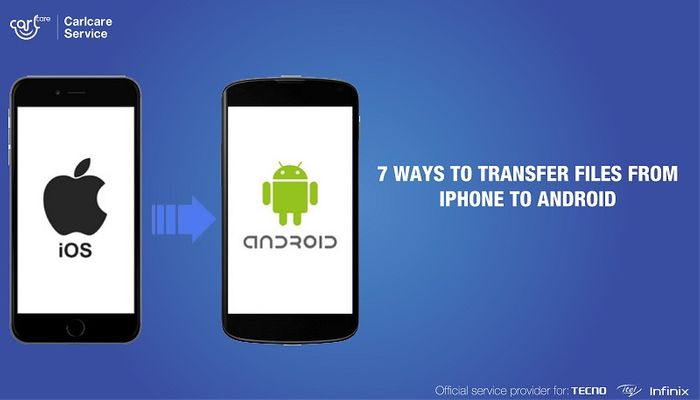
The inability to share files locally between Android and iOS has long been a social and functional wedge. It reinforced the “Blue Bubble vs. Green Bubble” stigma, where Android users were often blamed for ruining group chat media quality due to MMS compression. With the adoption of standardized Wi-Fi Aware protocols across the board, the operating system becomes irrelevant to the transfer mechanism.
Imagine a scenario in a corporate boardroom: A marketing executive using a generic Android tablet needs to send a 2GB video presentation to a client holding an iPad Pro. Previously, this required uploading the file to Google Drive or Dropbox, creating a link, emailing it, and waiting for the client to download it—a process dependent on internet bandwidth. With the new standards, the transfer happens locally, securely, and instantly, regardless of the logo on the back of the device.
Implications for the Broader Ecosystem of Android Gadgets
While smartphones are the primary beneficiaries, the implications of cross-platform Wi-Fi standards extend far deeper into the world of Android Gadgets. The Internet of Things (IoT), wearables, and smart home devices stand to gain immense utility from this interoperability.
Smart Home and IoT Interconnectivity
Currently, setting up a smart home often requires choosing a “team.” You are either a Google Home household or an Apple HomeKit household. While the Matter protocol is addressing command-and-control interoperability, high-bandwidth local data transfer remains a challenge. Wi-Fi Aware changes this.
Consider security cameras. An Android-based security camera could theoretically stream a live, high-bitrate feed directly to a homeowner’s iPad without routing through a cloud server, reducing latency and improving privacy. Similarly, smart displays and hubs can utilize these protocols to detect user presence more accurately, adjusting interfaces based on who walks into the room, regardless of which phone they carry.
Wearables and Mixed Reality
The wearable market is another sector ripe for disruption. Smartwatches and fitness trackers often rely on tethering to a host phone. With standardized peer-to-peer networking, a Wear OS watch could sync heavy health telemetry data or music playlists directly with a Mac or iPad, bypassing the need for a specific companion app or cloud sync.
Furthermore, in the emerging field of Mixed Reality (XR), latency is the enemy. If an Android-based XR headset needs to pull computing power or display data from a nearby console or mobile device, Wi-Fi Aware provides the low-latency, high-throughput pipe necessary to make that experience seamless, even if the source device is running a different operating system.
Pros, Cons, and Security Considerations
As with any major technological shift, the move toward open, interoperable wireless standards comes with a mix of advantages and potential pitfalls. It is essential for users of Android Phones to understand the trade-offs.
The Advantages: Speed and Convenience
- Universal Compatibility: The primary benefit is the elimination of friction. The ability to share files with anyone, anywhere, without worrying about OS compatibility is a massive quality-of-life improvement.
- No Internet Required: This technology relies on device-to-device connection. It works in subways, airplanes, and remote locations where cellular data is nonexistent.
- Preserved Quality: Unlike messaging apps that compress images and videos, Wi-Fi Aware transfers raw files, preserving metadata, resolution, and frame rates.
The Risks: Privacy and “Digital Flashing”
The opening of protocols also opens potential vectors for abuse. Apple users are familiar with “AirDrop flashing,” where strangers send unsolicited, inappropriate images to nearby devices set to “Everyone.” As Android adopts these interoperable standards, the user base becomes a larger target.
Security Best Practices:
To mitigate these risks, Android developers are implementing granular privacy controls. Users should adhere to the following best practices:
- Contacts Only Mode: Keep your device visibility set to “Contacts Only” by default. This ensures that only people in your address book can see your device via Wi-Fi Aware.
- Time-Limited Visibility: If you must receive a file from a stranger (e.g., a new acquaintance at a conference), use the “Everyone for 10 Minutes” setting, which automatically reverts to a secure state afterward.
- Verify Device IDs: Always verify the name of the device sending the file before accepting the transfer to avoid malicious payloads, although modern OS sandboxing makes executing malicious code via file transfer difficult.
Battery Life Implications
One of the historical criticisms of Wi-Fi scanning is battery drain. However, Wi-Fi Aware is designed to be power-efficient. It uses small, low-energy clusters of data for discovery and only wakes up the high-power Wi-Fi radio when a transfer is initiated. For modern Android Gadgets with large batteries, the impact is negligible, but it is a factor for smaller IoT devices.
Real-World Case Study: The Hybrid Office
To visualize the impact, let us look at a modern “Hybrid Office” scenario. A creative agency employs a mix of designers using MacBooks and iPads, and project managers using Android tablets and Pixel phones.
Before Interoperability:
A project manager takes photos of a physical prototype using a Pixel 9 Pro. To get these to the designer’s iPad for markup, they upload them to Google Drive. The office Wi-Fi is congested, so the upload takes 5 minutes. The designer then downloads them, taking another 5 minutes. Total time: 10 minutes + friction.
After Interoperability:
The project manager selects the photos on the Pixel, hits “Share,” and sees the designer’s iPad appear in the nearby device list thanks to the standardized Wi-Fi NAN protocol. They tap the icon. The designer accepts. The transfer happens over a direct, local link at 50MB/s. Total time: 15 seconds.
This efficiency gain, multiplied across millions of interactions daily, represents a massive boost in productivity and a fundamental shift in how we perceive device ecosystems.
Conclusion
The convergence of Wi-Fi standards represents one of the most significant pieces of Android News in recent years. It signals the dismantling of the digital walls that have long separated users based on their brand loyalty. By leveraging the power of Wi-Fi Neighbor Awareness Networking, the industry is moving toward a future where technology serves the user’s need for connection rather than the manufacturer’s desire for lock-in.
For the consumer, this means that Android Phones and Android Gadgets are becoming more versatile and valuable. They can now exist harmoniously in environments dominated by other platforms, breaking down social and technical barriers. While security and privacy remain paramount concerns that require vigilant user management, the benefits of universal, high-speed, local connectivity are undeniable. As these standards roll out via software updates and new hardware releases, the “green bubble” stigma may finally fade, replaced by a seamless, interconnected digital reality.



