

Why Your Idle Android Phone Turns Into a Brick (And Why That’s Good)
The Mystery of the Tuesday Morning Reboot
I have a drawer full of test phones. It’s a graveyard of silicon, mostly—old Pixels, a couple of Samsungs, devices I keep around for app testing or just because I’m too lazy to recycle them. Last week, I dug out a device I hadn’t touched since Friday afternoon to check a layout bug.
I expected the screen to wake up to my fingerprint. Or maybe the battery to be dead. Instead, I got the stark, unyielding “PIN required after device restarts” prompt.
I hadn’t restarted it. The battery was sitting pretty at 42%. It didn’t crash. It didn’t take a bad OTA update in the middle of the night. It panicked—intentionally. And honestly? It’s about time.
If you’ve noticed your spare Android device rebooting itself after a long weekend of neglect, you aren’t crazy. You’re just seeing one of the smartest, quietest security updates of the last year in action. It’s the OS deciding that if you haven’t touched it in 72 hours, it’s safer to assume you aren’t coming back.
The “Hot” vs. “Cold” Problem
To understand why this matters, you have to look at how encryption actually works on these things. It’s not a simple binary of “locked” or “unlocked.” In the security world, we talk about two main states: BFU (Before First Unlock) and AFU (After First Unlock).
When you first boot up your phone, it’s in BFU. The storage is fully encrypted. The decryption keys are cold—they aren’t in the RAM. Nothing runs. Your alarms won’t sound, your WhatsApp messages won’t come through, and the phone is essentially a glorified paperweight until you punch in that PIN. This is the safest state. Even if someone rips the memory chip off the board, they get gibberish.
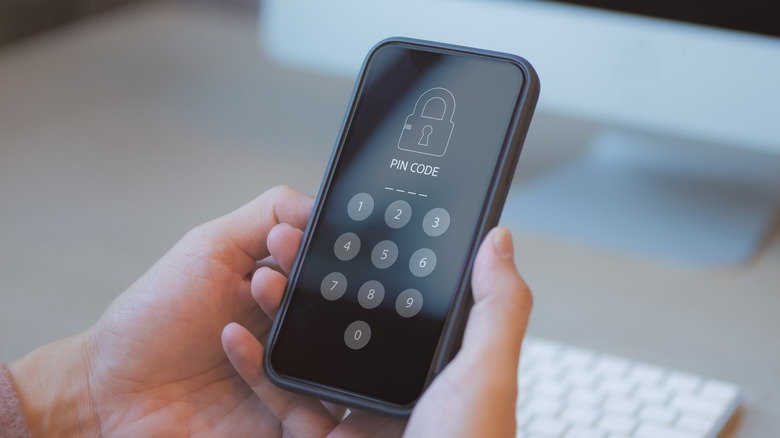
But nobody lives in BFU. You unlock your phone once, and it enters AFU. Now, the Master Key is loaded into memory. Apps can run in the background. When you turn the screen off, the phone is “locked,” sure, but the keys are still floating around in the RAM so that Spotify can keep playing and your email can sync.
Here’s the catch: AFU is vulnerable. Sophisticated forensic tools—the kind used by law enforcement or high-end theft rings—have a much easier time exploiting a phone in AFU. They can try to dump the RAM or use vulnerabilities in the running kernel to extract those keys. If the keys are in memory, there’s always a non-zero chance someone can grab them.
The 72-Hour Dead Man’s Switch
For years, this was a massive gaping hole in mobile security. A thief could snatch your phone, keep it charged, toss it in a Faraday bag (to block remote wipe signals), and take their sweet time trying to crack it. As long as the battery didn’t die, the phone stayed in that vulnerable AFU state.
That changed recently. Android now has what basically amounts to a dead man’s switch. If the device hasn’t been unlocked for a specific period—looks like the standard is settling firmly around three days—it assumes the worst and forces a reboot.
By rebooting, it wipes the keys from RAM. It kicks the device back down to BFU. It goes from “hot” to “cold.”
Suddenly, that forensic tool that relies on a memory exploit? Useless. The thief who was hoping to brute-force your passcode using a specialized box? They’re now staring at a wall of high-entropy encryption that is mathematically impractical to bypass without the user’s PIN.
Why Not Sooner?
You might ask: Why wait three days? Why not reboot after 12 hours?
I tried running a script on a rooted device once to force a reboot every night at 4 AM. It was a disaster. I missed alarms. I missed emergency calls. Background backups failed. The friction of BFU is high—the phone is functionally dead until you unlock it.
Three days is the “Goldilocks” zone. It’s long enough that it won’t annoy you over a regular weekend, but short enough that if your phone is sitting in an evidence locker or a thief’s glovebox, the window of opportunity slams shut pretty fast.
The Real-World Impact
I’ve been testing this behavior across a few devices running the latest Android builds. It’s consistent now, which wasn’t the case back in 2024 or early 2025. Back then, it was a toss-up depending on which manufacturer built your phone. Some would stay on for weeks; others would reboot randomly. Now, it feels like a core OS mandate.
This creates a fascinating dynamic for phone thieves. Time is now their enemy. They can’t just hoard devices and wait for a zero-day exploit to appear on the dark web. They have a 72-hour countdown before the device locks its own digital vault.

I suspect this is also why we’re seeing a shift in how stolen phones are handled. It’s less about data extraction now—it’s too hard—and more about parting them out for screens and batteries. The software won.
What I’d Like to See Next
While I love that this is default behavior, I’m a control freak. I want a slider.
Give me a “Paranoid Mode” in the security settings. Let me set that timer to 12 hours if I’m traveling to a high-risk area. Or let me tie it to location—if my phone leaves my home Wi-Fi and isn’t unlocked for 4 hours, kill the keys. The infrastructure is clearly there; the OS knows how to track inactivity and trigger the reset. Just give us the UI to tweak it.
Until then, though, I sleep a little better knowing that if I lose my phone on a Friday, by Monday morning it’s effectively turned itself into a brick that no amount of clever hacking can easily crack.



