The Evolution of Mobile Threats: Understanding the Rise of Real-Time Android Malware-as-a-Service
Introduction: The Shifting Landscape of Android Security
In the rapidly evolving world of cybersecurity, Android News is frequently dominated by the eternal cat-and-mouse game between security researchers and malicious actors. As mobile devices have transitioned from simple communication tools to the central hub of our financial lives, the incentive for cybercriminals to compromise these devices has grown exponentially. We are no longer dealing with simple adware or annoying pop-ups; the threat landscape has shifted toward sophisticated, industrial-grade espionage tools designed to drain bank accounts and crypto wallets in seconds.
The latest generation of threats facing Android Phones represents a paradigm shift in how malware operates. We are witnessing the maturation of “Malware-as-a-Service” (MaaS), a business model where sophisticated code is rented out to lower-level criminals, democratizing high-level cybercrime. These new threats are not content with simply stealing login credentials for later use. Instead, they facilitate “On-Device Fraud” (ODF), granting attackers real-time, remote control over a victim’s device. This allows them to perform transactions from the “trusted” device itself, effectively bypassing many traditional security measures.
This article delves deep into the mechanics of this new wave of Android malware, exploring how these Remote Access Trojans (RATs) operate, the specific technologies they abuse, and the critical steps users and enterprises must take to secure their digital assets. As we rely more on Android Gadgets for everything from stock trading to banking, understanding the enemy is the first step in defense.
Section 1: The Mechanics of Modern Android Malware-as-a-Service (MaaS)
The Industrialization of Cybercrime
To understand the current threat level, one must first understand the distribution model. In the past, a hacker needed deep technical knowledge to code, distribute, and manage a banking trojan. Today, the MaaS model has lowered the barrier to entry significantly. Criminal developers create sophisticated malware kernels and rent access to a command-and-control (C2) panel to other criminals, known as “affiliates.”
These panels are frighteningly user-friendly. They offer real-time analytics, infection maps, and the ability to filter victims by the financial apps installed on their Android Phones. If an affiliate wants to target users of a specific bank in a specific region, the malware can automatically flag devices that have that bank’s app installed. This targeted approach allows for high-efficiency campaigns that maximize financial damage while minimizing the attacker’s effort.
The “Hand of God”: Abuse of Accessibility Services
The core technical mechanism powering the most dangerous modern Android trojans is the abuse of the Android Accessibility Service. Designed to assist users with disabilities by reading screen content and automating interactions, this powerful API is the “skeleton key” for malware authors.
Once a malicious app—often disguised as a PDF reader, a media player, or a system update—tricks the user into granting Accessibility permissions, the game is essentially over. With this permission, the malware can:
- Read Screen Content: It can scrape 2FA codes from Google Authenticator or SMS messages instantly.
- Perform Gestures: It can automatically click “Allow” on permission prompts, grant itself admin privileges, and prevent the user from uninstalling the app.
- Keylogging: It can record every keystroke, including PINs and passwords.
This capability is what facilitates the transition from simple data theft to full device takeover. The malware doesn’t just watch; it acts.
Section 2: Real-Time Control and On-Device Fraud (ODF)
The VNC and WebRTC Threat
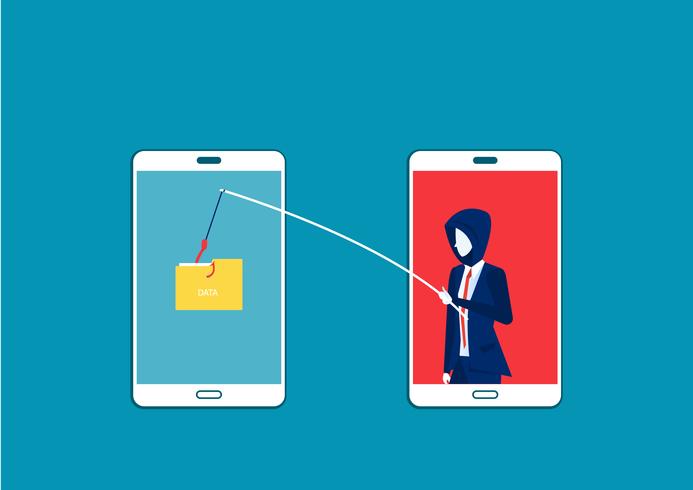
The most alarming development in recent Android News regarding malware is the integration of VNC (Virtual Network Computing) or WebRTC capabilities directly into the trojan. This allows the attacker to view the victim’s screen in real-time and interact with it, much like a legitimate remote support tool (e.g., TeamViewer), but without the user’s consent or knowledge.
In a typical attack scenario involving these advanced RATs, the malware waits for the user to open a targeted application, such as a banking app or a cryptocurrency wallet. Once the app is active, the malware may trigger a “black screen” overlay or a fake update screen. To the victim, the phone appears to have frozen or is updating. In reality, the attacker has dimmed the display locally while maintaining full visibility on their remote dashboard.
Bypassing Multi-Factor Authentication (MFA)
Security professionals have long touted Multi-Factor Authentication (MFA) as the gold standard for account security. However, On-Device Fraud renders many forms of MFA ineffective. Because the transaction is being initiated from the victim’s actual device (which has the correct device fingerprint, IP address, and cookies), the bank’s fraud detection systems often view the activity as legitimate.
When the bank sends an SMS OTP (One-Time Password) to verify a transaction, the malware reads the notification, captures the code, and inputs it into the banking app—all within milliseconds. The attacker is essentially “ghosting” the user, operating the device as if they were holding it in their hands. This capability allows them to empty accounts and drain crypto wallets during a single active session.
Case Study: The “Phantom” Transfer
Consider a hypothetical scenario involving a user named “David.” David downloads a “Premium Photo Editor” from a third-party store or via a link in a phishing SMS. The app asks for Accessibility Services to “automate photo cropping.” David grants it.
Weeks later, the malware’s C2 server detects David opening his crypto exchange app. The malware immediately notifies the attacker. The attacker initiates a remote session. On David’s phone, a fake overlay appears saying “Verifying Security… Please Wait.” Behind this overlay, the attacker is navigating the crypto app, initiating a transfer of all Bitcoin to an external wallet. When the email confirmation arrives, the malware intercepts the notification, clicks the approval link, and deletes the email. David only realizes the theft when he checks his balance hours later.
Section 3: Implications for the Ecosystem and User Safety
Targeting the Financial Sector
The scope of these threats is vast. Recent analysis suggests that modern MaaS trojans come pre-configured with “injections” (fake login overlays) for hundreds of financial institutions globally. This includes major international banks, regional credit unions, and virtually every popular cryptocurrency wallet. The malware is agnostic; it doesn’t care if the money is in USD, EUR, or BTC.
This poses a significant challenge for the fintech industry. Banking apps on Android Phones must now assume that the operating system itself might be compromised. This has led to the development of RASP (Runtime Application Self-Protection) technologies, which try to detect if an app is running in a hostile environment (e.g., detecting screen recording or hooking frameworks).
The Persistence Problem
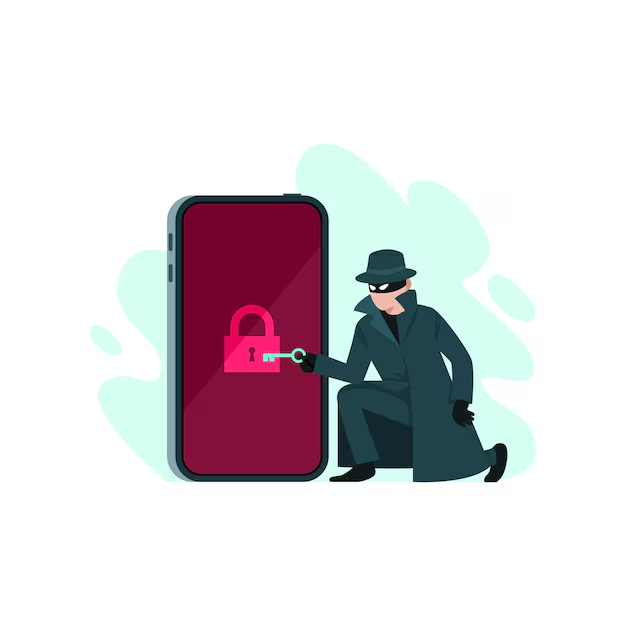
Another defining characteristic of this new malware breed is persistence. Once installed, these trojans are notoriously difficult to remove. They often:
- Hide the App Icon: The app disappears from the drawer immediately after installation.
- Prevent Uninstallation: If the user tries to revoke admin privileges or uninstall the app via settings, the malware uses Accessibility Services to automatically click “Cancel” or close the settings window instantly.
- Disable Play Protect: Sophisticated variants attempt to disable Google Play Protect to prevent detection.
For the average user, a factory reset is often the only reliable way to remove the infection, resulting in data loss and significant inconvenience.
Section 4: Defense Strategies and Best Practices
For the End User: Digital Hygiene
Protecting Android Gadgets and phones from these advanced threats requires a change in user behavior. The most critical advice is to treat Accessibility Service requests with extreme suspicion.
Key Recommendations:
- Source Matters: strictly avoid sideloading apps (installing APKs from outside the Google Play Store). While Play Store malware exists, it is significantly rarer than threats found on third-party sites or via SMS links.
- Permission Audits: Regularly check which apps have “Accessibility” and “Device Admin” privileges. If a calculator app wants to control your screen, uninstall it immediately.
- Hardware Keys: For high-value accounts (crypto, main banking), consider using hardware security keys (like YubiKeys). These require physical interaction that remote malware cannot simulate.
- Biometrics: Rely on fingerprint or face unlock for app access rather than PINs, as keyloggers can capture PINs but cannot replicate biometric data easily.
For the Industry: Google’s Response
Google has been actively fighting this trend in Android News. Recent versions of Android (13 and 14) have introduced “Restricted Settings.” This feature blocks sideloaded apps from requesting Accessibility Services entirely unless the user goes through a complex, multi-step process to enable them. This friction is intentional—it breaks the social engineering flow that malware relies on.
Furthermore, Google Play Protect now employs real-time code scanning to detect polymorphic malware that changes its signature to evade static analysis. However, as security measures improve, malware authors continue to innovate, creating a perpetual cycle of escalation.
Conclusion
The emergence of real-time, remote-access Android malware sold as a service marks a dangerous turning point in mobile security. The threat is no longer just about stolen data; it is about total device autonomy. Attackers can now wield a victim’s phone as a weapon against their own bank account, bypassing traditional authentication methods with terrifying ease.
As we move forward, the security of Android Phones will depend on a combination of smarter operating system architecture, proactive banking app security (RASP), and, most importantly, informed user behavior. The convenience of mobile finance is undeniable, but it demands a level of vigilance commensurate with the risks. By understanding the mechanics of these “hand of god” attacks, users can better recognize the warning signs—such as unexpected permission requests or screen glitches—and stop the attack before the transaction clears.