Beyond the Screen: How Android is Revolutionizing the E-Ink and Digital Paper Landscape
Introduction
In an era defined by constant connectivity and the relentless glare of backlit screens, a significant shift is occurring in how we consume digital content. For years, the market was strictly divided. On one side, we had high-performance Android phones and tablets—vibrant, fast, but prone to causing eye strain and distraction. On the other side sat dedicated e-readers like the early Kindles or the reMarkable tablet—devices championed for their paper-like displays and focus, yet severely limited by proprietary operating systems and “walled garden” ecosystems.
However, a new wave of Android gadgets is breaking down these barriers. By integrating the versatility of the Android operating system with the visual comfort of E-Ink and Reflective LCD (RLCD) technology, manufacturers are creating a hybrid category of devices. These devices offer the best of both worlds: the ability to run a full suite of applications—from Android news aggregators to productivity tools—while maintaining the battery life and ocular comfort associated with analog paper. This article explores the technical evolution of Android-powered E-Ink devices, analyzing how they compare to closed systems and why they represent the future of digital reading and productivity.
Section 1: The Convergence of Android and E-Paper Technology
The Break from Proprietary Systems
To understand the significance of Android in the E-Ink space, one must first look at the incumbents. Devices like the reMarkable 2 or the basic Amazon Kindle run on highly customized, often Linux-based firmware. These systems are optimized for extreme battery efficiency and a singular purpose: reading or note-taking. While excellent at their specific tasks, they lack extensibility. If a user wants to read a Substack newsletter, check a breaking story on the New York Times app, or sync notes to OneNote, they are often out of luck.
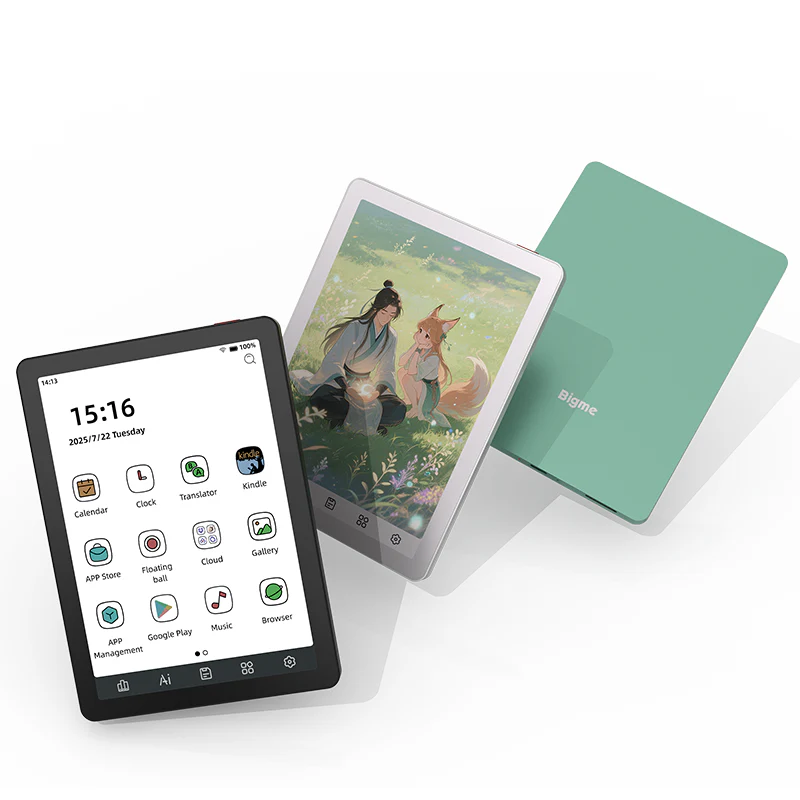
The new generation of devices, spearheaded by brands like Onyx Boox, Bigme, and emerging players like the Minimal Phone, utilize full versions of Android (often Android 11, 12, or 13). This is a fundamental architectural shift. By running Android, these devices gain access to the Google Play Store, effectively turning an electronic paper tablet into a fully functional computer. This allows users to bypass the limitations of proprietary file formats and restricted bookstores.
The “Daylight” and RLCD Innovation
While traditional E-Ink dominates this niche, we are also seeing the emergence of “Daylight” computer tablets and similar innovations using RLCD (Reflective Liquid Crystal Display). Unlike E-Ink, which physically moves ink capsules and has a slow refresh rate, RLCD reflects ambient light but refreshes at 60Hz, similar to standard Android phones. When powered by Android, these devices offer a fluid experience indistinguishable from a standard tablet in terms of speed, yet they remain viewable in direct sunlight and emit no blue light. This hardware evolution is critical because it removes the “lag” that historically made running standard Android apps on paper-like screens a frustrating experience.
The Ecosystem Advantage
The primary driver for this adoption is ecosystem integration. Professionals and students rarely exist within a single silo. They use Kindle for books, Feedly for RSS, Google Keep for notes, and Slack for communication. An Android-based E-Ink device serves as a central hub for all these disparate platforms. It transforms the device from a passive “reader” into an active “workstation,” allowing for a workflow that moves seamlessly between reading Android news feeds and annotating documents without ever switching devices.
Server rack GPU – Brand New Gooxi 4u Rackmount case ASR4105G-D12R AMD Milan 7313 Cpu …
Section 2: Detailed Analysis of Hardware and Software Integration
Overcoming the Refresh Rate Barrier
The most significant technical hurdle in bringing Android to E-Ink has been the refresh rate. Standard Android interfaces feature smooth animations, scrolling, and video—elements that traditional E-Ink struggles to render without severe “ghosting” (remnants of the previous image remaining on screen). To combat this, manufacturers have developed dedicated display processors and software modes.
For example, Onyx Boox utilizes “Super Refresh” technology, which relies on a dedicated GPU to drive the E-Ink screen. They offer distinct modes accessible via the Android quick settings:
- HD Mode: Best for reading text; crispest resolution but slowest refresh.
- Balanced Mode: A compromise for browsing documents.
- Fast Mode: Ideal for scrolling through websites or Android news apps.
- Ultrafast/X-Mode: Allows for video playback and rapid typing, albeit with some loss of image detail.
This software-hardware handshake is what makes Android viable on these screens. Without these custom drivers, the stock Android UI would be virtually unusable due to the lag between touch input and screen response.
Battery Life: The Android Trade-off
One cannot discuss Android gadgets without addressing power consumption. A Linux-based reMarkable tablet can last weeks on a single charge because the OS is incredibly lightweight and halts processes aggressively. Android, conversely, is resource-intensive. It manages background services, push notifications, and Wi-Fi polling constantly.
To mitigate this, Android E-Ink devices often feature massive batteries (3000mAh to 6000mAh) and aggressive software optimization. Users often have to manually configure “app freezing” settings, ensuring that apps like Spotify or Gmail do not run in the background when not in use. While an Android E-Ink tablet may not last the three weeks of a Kindle Paperwhite, it typically offers 3 to 5 days of heavy usage—a trade-off many are willing to make for the added functionality.
The Minimal Phone Concept
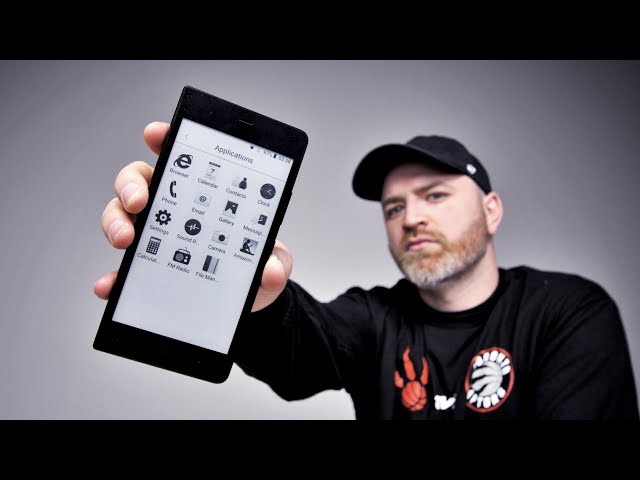
A fascinating subset of this category is the “Minimal Phone.” These are smartphone-sized devices featuring E-Ink screens and running Android. The philosophy here is digital minimalism. By rendering apps in monochrome and utilizing the slower refresh rate of E-Ink, these phones naturally discourage “doom scrolling” on social media while still providing essential utilities like Uber, Google Maps, and WhatsApp. This proves that Android can be used not just to enable consumption, but to curate it, offering a middle ground between a “dumb phone” and a flagship smartphone.
Section 3: Implications for Productivity and News Consumption
Revolutionizing News Consumption
For news junkies, the combination of Android and E-Paper is transformative. On a standard tablet, reading long-form journalism often competes with incoming notifications and eye fatigue. On a proprietary e-reader, getting the news is a chore, often requiring “Send to Kindle” browser extensions or PDF conversions.
With Android E-Ink, a user can install the native apps for The Wall Street Journal, The Guardian, or aggregators like Flipboard. Because these are the standard Android apps, they support offline reading, saved articles, and personalized feeds. The experience mimics reading a morning newspaper but with the real-time updates of the internet. Furthermore, the high-contrast, non-emissive screens make reading outdoors or in bright sunlight—a scenario where standard Android phones struggle—perfectly comfortable.
The “Everything” Notebook
The implication for productivity extends beyond reading. Because these devices support Bluetooth keyboards and have Wacom-layer stylus support, they become distraction-free typewriters. Writers can use Google Docs or Microsoft Word on an E-Ink screen, typing in direct sunlight without glare. The Android file system allows for easy file management, meaning a document drafted on the E-Ink tablet can be instantly synced to the cloud and finalized on a desktop computer.
Case Study: The Academic Workflow
Consider a PhD student. On a locked-down device like the reMarkable, they can annotate PDFs, but organizing them requires a computer. On an Android E-Ink tablet, the student can:
- Download a research paper via the Chrome browser or a university library app.
- Open it in a specialized PDF reader like Moon+ Reader or NeoReader.
- Split the screen (a native Android feature) to have the PDF on one side and a note-taking app like Obsidian or Notion on the other.
- Cite sources and browse Android news feeds for contemporary references simultaneously.
This workflow is impossible on non-Android E-Ink devices.
Section 4: Recommendations and Best Practices
Choosing the Right Device
When looking to invest in this technology, potential buyers must weigh complexity against simplicity.
- For the Purist: If your only goal is to replace a physical notebook and you want zero distractions, devices like the reMarkable (non-Android) remain superior due to their simplicity and paper-feel.
- For the Power User: If you need to read Android news apps, use Kindle and Kobo simultaneously, and sync to OneNote, devices like the Onyx Boox Note Air series or the Bigme InkNote are the standard.
- For the Sensitive Eye: If you need color and speed but cannot tolerate LED backlights, look for upcoming RLCD Android tablets (like the Daylight DC-1) or Kaleido 3 Color E-Ink devices.
Optimizing Android for E-Ink
Using Android on E-Ink requires a change in habits. To get the best experience, users should:
- Use “E-Ink Friendly” Apps: Some apps allow for high-contrast modes or paginated scrolling (tapping to turn pages rather than sliding), which looks better on E-Ink.
- Master the Refresh Modes: Learn to toggle between “HD” for reading and “A2/Fast” for navigation. Map this toggle to a physical gesture or button if the device allows.
- Simplify the Launcher: Standard Android launchers are cluttered. Use a minimalist launcher (like Niagra Launcher) to reduce visual noise and make navigation on a slow-refresh screen easier.
- Manage Background Data: To maximize battery life, aggressively restrict background data for apps that don’t need it.
The Cost of Versatility
It is important to note that these Android gadgets often come with a steeper learning curve and a higher price tag than standard e-readers. The inclusion of powerful processors (often Qualcomm Snapdragons) to run Android smoothly drives up the cost. Furthermore, the software experience can sometimes feel “hacky,” requiring users to tinker with settings to get apps looking right on a monochrome screen. This is not the “pick up and play” experience of an iPad or a Kindle; it is a tool for enthusiasts and professionals who require specific utility.
Conclusion
The integration of the Android operating system into E-Ink and RLCD devices marks a pivotal moment in consumer electronics. It bridges the gap between the focused, calm experience of analog paper and the dynamic, connected utility of modern computing. While devices like the reMarkable will always have a place for those seeking total disconnection, the market is clearly trending toward versatility.
For users who want to protect their vision without sacrificing their connection to the world—whether that means staying updated with Android news apps, managing emails, or reading across multiple ecosystems—Android-powered E-Ink tablets offer a compelling solution. As battery technology improves and screen refresh rates increase, we can expect this category to grow, potentially challenging the dominance of traditional LCD and OLED tablets for reading-centric tasks. The future of reading is digital, but thanks to Android, it no longer has to be hard on the eyes.