
The Edge AI Revolution: Transforming Android Phones into Neural Powerhouses
Introduction
The landscape of mobile technology is undergoing a seismic shift, moving away from a reliance on cloud-based processing toward a decentralized, privacy-focused future. For years, Android Phones have served as portals to the internet, offloading complex tasks to massive server farms. However, a new paradigm is emerging, driven by the rapid advancement of Neural Processing Units (NPUs) and sophisticated edge computing SDKs. This evolution is not merely about faster processors; it is about fundamentally changing how devices “think” and interact with the world around them.
We are entering the era of “On-Device AI,” where the heavy lifting of artificial intelligence—whether it be natural language processing, computer vision, or audio synthesis—happens directly on the silicon in your pocket. This transition is dominating Android News cycles, as manufacturers and developers race to optimize hardware for local inference. By running AI models locally, users gain unprecedented benefits in latency, privacy, and offline functionality. This article delves deep into the technical architecture enabling this shift, the software ecosystems empowering builders, and the real-world implications for the next generation of Android Gadgets.
Section 1: The Hardware Evolution – Rise of the NPU
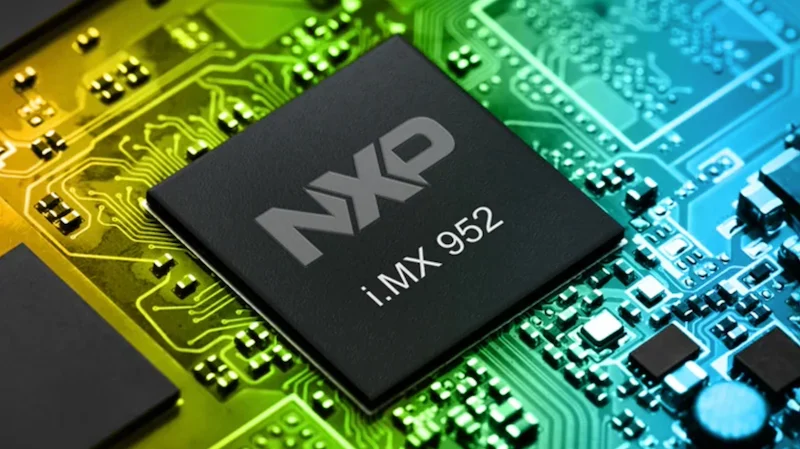
To understand why modern Android Phones are becoming capable of running complex Large Language Models (LLMs) and vision models, we must first look at the silicon. The traditional System-on-Chip (SoC) architecture, dominated by the Central Processing Unit (CPU) and the Graphics Processing Unit (GPU), has evolved to include a third critical pillar: the Neural Processing Unit (NPU).
The Architecture of Intelligence
While CPUs are designed for sequential processing and GPUs for parallel graphics rendering, neither is perfectly optimized for the matrix multiplication tasks required by modern AI. AI models, particularly deep learning networks, require billions of mathematical operations to occur simultaneously with high energy efficiency.
NPUs are specialized accelerators designed specifically for these tensor operations. In the latest flagship Android devices, the NPU allows for:
- High Throughput: Processing trillions of operations per second (TOPS) dedicated solely to AI tasks.
- Energy Efficiency: Executing inference tasks with significantly less power consumption than a GPU, preserving battery life.
- Heterogeneous Computing: Modern Android SoCs (like the latest Snapdragon or MediaTek Dimensity chipsets) dynamically allocate tasks. A background audio trigger might run on a low-power sensing hub, while a generative image task engages the high-performance NPU cores.
Beyond the Flagship: Democratizing AI Hardware
Initially, powerful NPUs were the exclusive domain of premium tiers. However, recent trends in Android News indicate a trickle-down effect. Mid-range chipsets are now shipping with capable AI silicon, allowing for features like real-time scene detection and on-device translation to become standard across the ecosystem. This hardware ubiquity is the foundation that allows developers to build “NPU-first” applications, confident that the user base has the hardware to run them.
The Role of Unified Memory
Another critical hardware advancement is the optimization of Unified Memory Architectures. Running a multimodal AI model (one that handles text, image, and audio) requires substantial RAM with high bandwidth. Modern Android architectures allow the NPU to access system memory rapidly without copying data back and forth between different storage pools, drastically reducing latency for real-time applications like augmented reality or live video analysis.
Section 2: The Software Stack – Running Models on the Edge
Hardware is potential, but software is kinetic. The ability to run any AI model on your own hardware—be it a phone, a tablet, or an embedded Android automotive system—relies on a sophisticated software stack that bridges the gap between raw silicon and high-level code.
From Cloud to Edge: The Quantization Process
You cannot simply take a 175-billion parameter model running on a server farm and drop it onto a smartphone. The magic lies in optimization. Developers are utilizing advanced SDKs to compress these models through a process called quantization. This involves reducing the precision of the model’s weights (e.g., from 32-bit floating-point to 8-bit or even 4-bit integers) with minimal loss in accuracy.
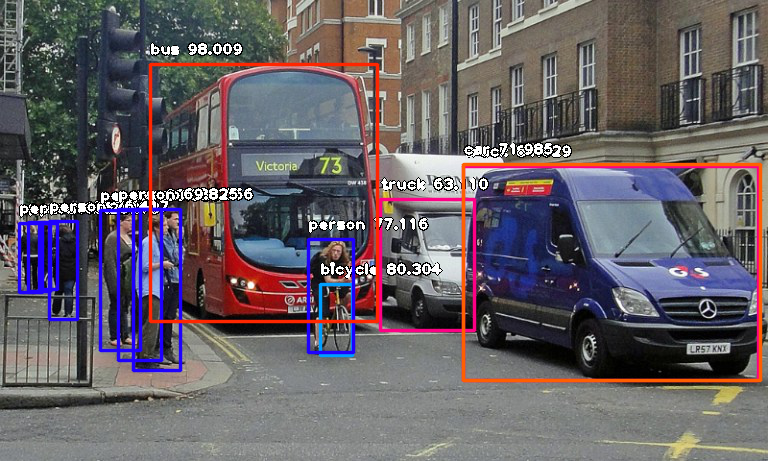
This optimization allows Android Phones to host “Small Language Models” (SLMs) and efficient vision models that perform remarkably well for specific tasks. For example, a quantized vision model can identify objects in a camera feed in milliseconds, entirely offline, aiding in everything from photography to accessibility features for the visually impaired.
Multimodal Capabilities on Android
The frontier of edge AI is multimodal. We are moving past simple text-in/text-out interfaces. Modern SDKs enable Android devices to process and correlate multiple data streams simultaneously:
- Vision: Object detection, facial recognition, and scene segmentation in real-time.
- Audio: Noise cancellation, speaker diarization (distinguishing between speakers), and real-time translation.
- Text: Summarization, sentiment analysis, and predictive typing.
For builders on the edge, this means creating apps that can “see” and “hear.” Imagine a mechanic using an Android tablet; the camera recognizes a specific engine part (Vision), the microphone listens to the engine’s hum to detect anomalies (Audio), and the screen displays a diagnostic summary (Text). This is all processed locally on the NPU, ensuring speed and functionality even in a garage with poor Wi-Fi.
Cross-Platform and NPU Agnosticism
A major challenge in the Android ecosystem has always been fragmentation. However, new software development kits are emerging that abstract the hardware layer. These tools allow developers to write code once and have it run optimally on various NPUs, whether the device uses a Qualcomm, Samsung, or MediaTek chip. This “write once, run anywhere” approach for AI models is crucial for the proliferation of AI features across diverse Android Gadgets.
Section 3: Real-World Implications and Strategic Insights
The shift to local, NPU-driven AI is not just a technical curiosity; it has profound implications for user experience, data privacy, and the future utility of mobile devices.
The Privacy Paradigm
Perhaps the most significant advantage of on-device AI is privacy. When you use a cloud-based assistant, your voice data or images are sent to a remote server. In contrast, local processing ensures that sensitive data never leaves the device. For enterprise users and privacy-conscious consumers, this is a game-changer. Health data, financial documents, and personal photos can be analyzed by AI for insights without exposing the user to data breaches or surveillance.
Case Study: Automotive and Navigation
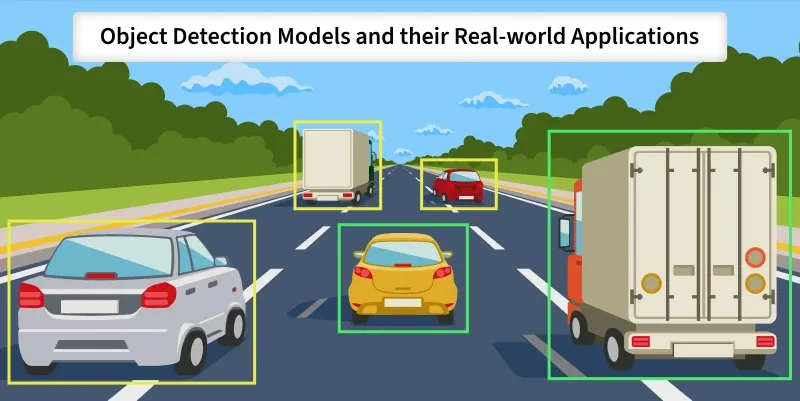
Consider the application of faster vision models in the automotive sector, which heavily utilizes Android Automotive OS. Vehicles require split-second decision-making capabilities. Relying on the cloud for object detection is dangerous due to latency and potential signal loss.
By utilizing the NPU locally:
- Latency is eliminated: The car “sees” a pedestrian and reacts instantly.
- Bandwidth is saved: The vehicle doesn’t need to stream high-definition video to a server.
- Reliability increases: The system works perfectly in tunnels or rural areas.
The “Offline” Internet
Android Phones equipped with robust local models are effectively carrying a slice of the internet’s intelligence with them. Travelers can translate menus and conversations in real-time without a roaming plan. Content creators can generate captions or edit video using AI tools on a flight. This decoupling of intelligence from connectivity transforms the smartphone from a dumb terminal into a standalone supercomputer.
Implications for Developers
For developers, this shift opens up new categories of apps. “Edge Builders” can now create highly responsive applications that were previously impossible. An augmented reality game can use the NPU to map a living room and generate physics-compliant characters in real-time, creating an immersion level that cloud rendering cannot match due to lag.
Section 4: Challenges, Best Practices, and Recommendations
While the future is bright, running AI on Android Phones presents specific challenges that manufacturers and developers must navigate. It is not as simple as enabling a switch; it requires careful balancing of resources.
Thermal Management and Battery Drain
The Challenge: AI inference is computationally intensive. Even with efficient NPUs, sustained AI workloads (like running a local chatbot for an hour) can generate significant heat and drain the battery rapidly.
Best Practices:
- Throttle Wisely: Developers must implement logic to throttle AI tasks when the battery is low or the device temperature spikes.
- Hybrid Approach: Use a “hybrid AI” strategy. Handle lightweight tasks (like keyword detection) locally, and only offload to the cloud or engage the high-power NPU cores for complex reasoning tasks.
- Model Pruning: Ensure models are as small as possible. A bloated model wastes energy moving data through memory.
Storage Constraints
The Challenge: High-quality AI models take up space. A decent LLM might require 4GB to 8GB of storage. On a 128GB phone, this is a significant ask.
Recommendation: Manufacturers of Android Gadgets need to standardize higher base storage tiers (256GB minimum) for AI-branded devices. Developers should offer modular downloads, allowing users to download only the specific AI models (e.g., a specific language pack) they need.
The Fragmentation Issue
The Challenge: Android’s open nature means thousands of device variations. Not every phone has a flagship NPU.
Recommendation: Developers should utilize fallback mechanisms. If a dedicated NPU is unavailable, the app should gracefully degrade to GPU or CPU processing, or switch to a lighter model, rather than crashing or freezing.
Pros and Cons Summary
| Pros of On-Device AI | Cons/Challenges |
|---|---|
| Privacy: Data stays local. | Battery Life: Intensive tasks consume power. |
| Latency: Instant response times. | Storage: Models require significant space. |
| Reliability: Works without internet. | Heat: Sustained loads cause thermal throttling. |
| Cost: Zero server costs for developers. | Hardware Variance: Performance varies by device. |
Conclusion
The integration of powerful NPUs and advanced SDKs into the Android ecosystem marks a pivotal moment in consumer technology. We are witnessing the transformation of Android Phones from communication devices into intelligent agents capable of understanding and manipulating text, images, and audio in real-time, entirely on the edge.
For consumers, this means devices that are faster, more private, and more capable. For developers, it represents a new frontier where the constraints of cloud latency no longer apply. As Android News continues to highlight these advancements, the distinction between “mobile” and “desktop” performance will continue to blur. The future of AI is not just in the cloud; it is in your hand, running on your hardware, personalized to your life. Whether for automotive safety, creative endeavors, or seamless translation, the NPU-first revolution is here, and it is reshaping the definition of what a smartphone can be.