The Future of Safety: How Android Emergency Live Video is Transforming 911 Calls
Introduction
In the constantly evolving landscape of mobile technology, the primary function of a smartphone remains its ability to connect people. However, in the realm of Android News, the most significant updates are often those that transcend mere convenience and step into the territory of life-saving utility. For decades, emergency services have relied almost exclusively on voice communication. While voice is effective, it has limitations, particularly when callers are injured, in danger, or unable to articulate their precise location or the nature of a threat. The adage “a picture is worth a thousand words” has never been more applicable than in high-stakes emergency scenarios.
A profound shift is currently underway in the Android ecosystem. Google is rolling out a capability that allows Android Phones to transmit live video streams directly to emergency dispatchers during 911 calls. This feature, known as Emergency Live Video, represents a massive leap forward in Next Generation 911 (NG911) technology. By integrating visual data into emergency response, first responders can gain immediate situational awareness, potentially reducing response times and improving outcomes in critical situations. This article delves deep into the mechanics, implications, and real-world applications of this groundbreaking feature, exploring how modern Android Gadgets are becoming essential tools for personal safety.
Section 1: The Evolution of Emergency Services on Android
From Voice to Data: The Precursors
To understand the magnitude of Emergency Live Video, we must first look at the history of emergency services on the platform. Historically, the biggest challenge for 911 operators was locating the caller. In the era of landlines, an address was hardwired to the phone number. With the explosion of mobile phones, location tracking became difficult, relying on cell tower triangulation which was often inaccurate by hundreds of meters.
Android addressed this years ago with the introduction of Emergency Location Service (ELS). ELS uses a fusion of Wi-Fi, GPS, and cell sensors to provide a precise location to first responders automatically. This was the first step in turning Android Phones into active safety devices rather than passive communication tools. Following ELS, we saw the introduction of car crash detection and satellite connectivity for remote areas. However, these features were primarily data-driven regarding location and status. They lacked the qualitative data that visual context provides.
The Shift to Visual Triage
The introduction of live video streaming marks the transition from “Where are you?” to “What is happening?” This is a critical distinction in the world of Android News. Emergency dispatchers, often referred to as telecommunicators, are trained to visualize scenes based on auditory cues. By providing a live video feed, Android is effectively giving eyes to the dispatchers.
This feature is not an app that users need to download; it is integrated directly into the operating system’s dialer and emergency services framework. It is rolling out to devices running Android 8.0 and later, which covers a vast majority of active devices globally. This inclusivity ensures that safety features are not reserved solely for those with the latest flagship Android Gadgets, but are democratized across the ecosystem.
Section 2: Deep Dive: How Emergency Live Video Works
The Technical “Handshake”
Artificial intelligence analyzing image – Convergence of artificial intelligence with social media: A …
One of the most common misconceptions about this technology is that it functions like a standard video call (e.g., Google Meet or FaceTime). It does not. You cannot simply FaceTime 911. The protocol is designed with strict privacy and bandwidth controls in mind. Here is the technical breakdown of the workflow:
- The Voice Call: The user dials 911 (or the local emergency number) as usual. The connection is established via voice first.
- Dispatcher Initiation: The emergency dispatcher, utilizing compatible software (often integrated with platforms like RapidSOS), sees that the caller is on a video-capable Android device. The dispatcher sends a request to the caller to enable video.
- User Consent: A pop-up notification appears on the Android device screen, asking the user to “Share Video” or “Accept Request.” This requires a deliberate action by the user, ensuring that video is never streamed without explicit permission.
- The Stream: Once accepted, the camera feed (usually the rear camera by default, though switchable) begins streaming directly to the dispatcher’s workstation.
Infrastructure and Compatibility
The backbone of this feature relies on the modernization of Public Safety Answering Points (PSAPs). Not every 911 call center can accept video today. The rollout of Emergency Live Video on Android is contingent on the PSAP’s adoption of Next Generation 911 standards. However, the adoption rate is accelerating rapidly.
From a device perspective, the requirement of Android 8.0 (Oreo) or higher is generous. It ensures that phones manufactured as far back as 2017 are compatible. This broad compatibility is vital because emergency situations do not discriminate based on the age of the smartphone a user possesses. The technology utilizes standard data protocols, meaning it works over Wi-Fi and cellular data (LTE/5G). In areas with poor data coverage, the system is designed to prioritize the audio channel to ensure communication is not lost, dropping the video feed if bandwidth becomes insufficient.
Data Security and Privacy Architecture
In the world of Android News, privacy is always a headline. Google has engineered this feature to be privacy-forward. The video stream is not broadcast publicly; it is a secure, encrypted tunnel between the device and the emergency center. Furthermore, once the call is terminated, the video permission is revoked. The dispatcher cannot “tune in” to your phone after the emergency is resolved. This “opt-in” model is crucial for user trust, ensuring that Android Phones remain personal devices rather than surveillance tools.
Section 3: Real-World Scenarios and Implications
The theoretical technology is impressive, but the real value of Emergency Live Video becomes apparent when we apply it to specific, high-stress scenarios. Here is how this feature changes the game for first responders and victims.
Scenario 1: Medical Emergencies and Remote Triage
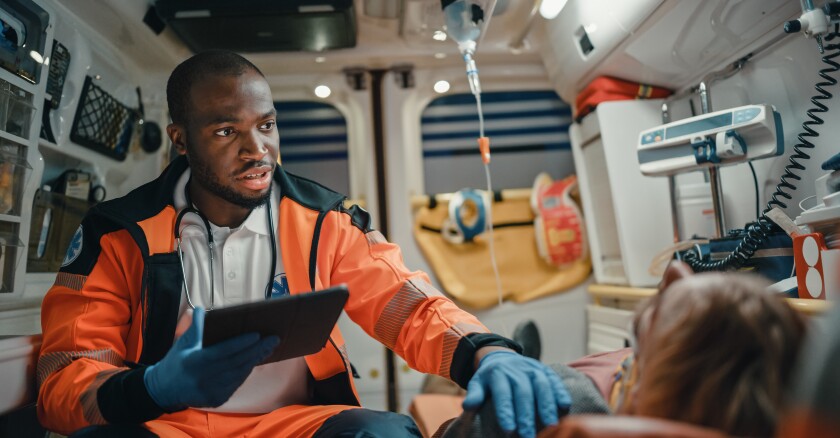
Consider a scenario where a bystander witnesses a cardiac arrest. They call 911 and begin CPR. In a voice-only call, the dispatcher counts the rhythm and asks, “Is the chest rising?” With live video, the dispatcher can see the patient’s color, verify the placement of hands during CPR, and correct the caller’s technique in real-time. This visual feedback loop can quite literally be the difference between life and death. Similarly, for allergic reactions, showing the dispatcher the swelling or hives allows for a faster determination of anaphylaxis, prompting a higher priority dispatch.
Scenario 2: Domestic Violence and Silent Calls
One of the most harrowing types of emergency calls is the “silent call,” often made by victims of domestic violence or home invasions who cannot speak for fear of alerting an attacker. Previously, dispatchers had to rely on background noise or keypress systems (e.g., “Press 5 if you are in danger”).
Artificial intelligence analyzing image – Artificial Intelligence Tags – SubmitShop
With Emergency Live Video, a dispatcher can request a video stream. If the user can silently accept, they can point the camera at the aggressor or the surroundings without saying a word. This provides police with a description of the suspect, the presence of weapons, and the exact situation before they arrive on the scene. It transforms Android Gadgets into silent witnesses.
Scenario 3: Search and Rescue
Hikers and outdoor enthusiasts often rely on Android Phones for navigation. If a hiker becomes lost or injured in an area with data coverage, describing the landscape can be difficult. “I see a big rock and some trees” describes nearly every forest. By streaming video, a dispatcher can identify landmarks, trail markers, or distinct geographical features. This visual data, combined with ELS GPS data, allows search and rescue teams to triangulate the victim’s position with pinpoint accuracy.
Scenario 4: Fire and Hazmat Incidents
When reporting a fire, the color of the smoke (black, white, grey, or yellow) tells firefighters what is burning—wood, chemicals, or plastics. A caller might not know to describe the smoke color, but a video stream reveals it instantly. In a traffic accident involving a tanker truck, the caller can zoom in on the Hazmat placard on the truck. The dispatcher can read the code, identify the chemical, and advise the responding units on exactly what protective gear is needed before they even put their trucks in gear.
Section 4: Pros, Cons, and Best Practices
While this development in Android News is overwhelmingly positive, it is essential to analyze the potential challenges and provide best practices for users.
Artificial intelligence analyzing image – Artificial intelligence in healthcare: A bibliometric analysis …
The Advantages
- Speed of Information: Visuals process faster than verbal descriptions. A 5-second video can convey what takes 2 minutes to explain.
- Evidence Collection: In criminal scenarios, the footage streamed to 911 is often recorded at the command center, creating an immutable chain of evidence for future prosecution.
- Dispatcher Mental Health: Paradoxically, while seeing trauma is hard, not knowing what is happening is often more stressful for dispatchers. Visual confirmation helps them send the right resources, reducing the feeling of helplessness.
The Challenges and Limitations
- Trauma Exposure: Conversely, dispatchers will now be exposed to graphic visual trauma in real-time. PSAPs will need to implement robust mental health support systems for their staff.
- Data Dependency: This feature requires a stable internet connection. In rural areas where Android Phones might drop to 2G or lose signal entirely, video will not function.
- Battery Drain: Streaming video is resource-intensive. In a prolonged emergency (like a hostage situation or a trapped hiker), preserving battery life is critical. Streaming video could deplete the battery faster than a voice-only call.
Best Practices for Android Users
To maximize the effectiveness of this feature, users should keep the following in mind:
- Keep Software Updated: Ensure your device is running the latest version of Android available to you. While Android 8.0 is the minimum, newer versions often have better modem efficiency and camera software.
- Know How to Hold the Phone: In an emergency, steady the camera. Pan slowly. Quick, jerky movements make it difficult for the dispatcher to see details due to video compression artifacts.
- Lighting Matters: If you are in a dark room, turn on the lights or use the flashlight toggle if the video interface allows it (or turn it on before the stream starts).
- Listen to the Dispatcher: Do not prioritize filming over your safety. If the dispatcher tells you to run or hide, drop the phone’s visual priority and focus on survival.
Conclusion
The integration of Emergency Live Video into the Android ecosystem is more than just a technical specification; it is a fundamental shift in how we interact with public safety infrastructure. By leveraging the ubiquity of Android Phones and the advanced sensors within modern Android Gadgets, Google is helping to close the information gap that exists in every emergency call.
As this technology rolls out and becomes standard across Public Safety Answering Points, it will undoubtedly save lives. It empowers dispatchers with the “eyes” they have lacked for half a century and provides citizens with a powerful tool for protection. For those following Android News, this serves as a reminder that the most impactful innovations are often not the ones that entertain us, but the ones that keep us safe. As we move forward, the synergy between mobile technology and emergency services will only deepen, making our devices indispensable guardians in our daily lives.